
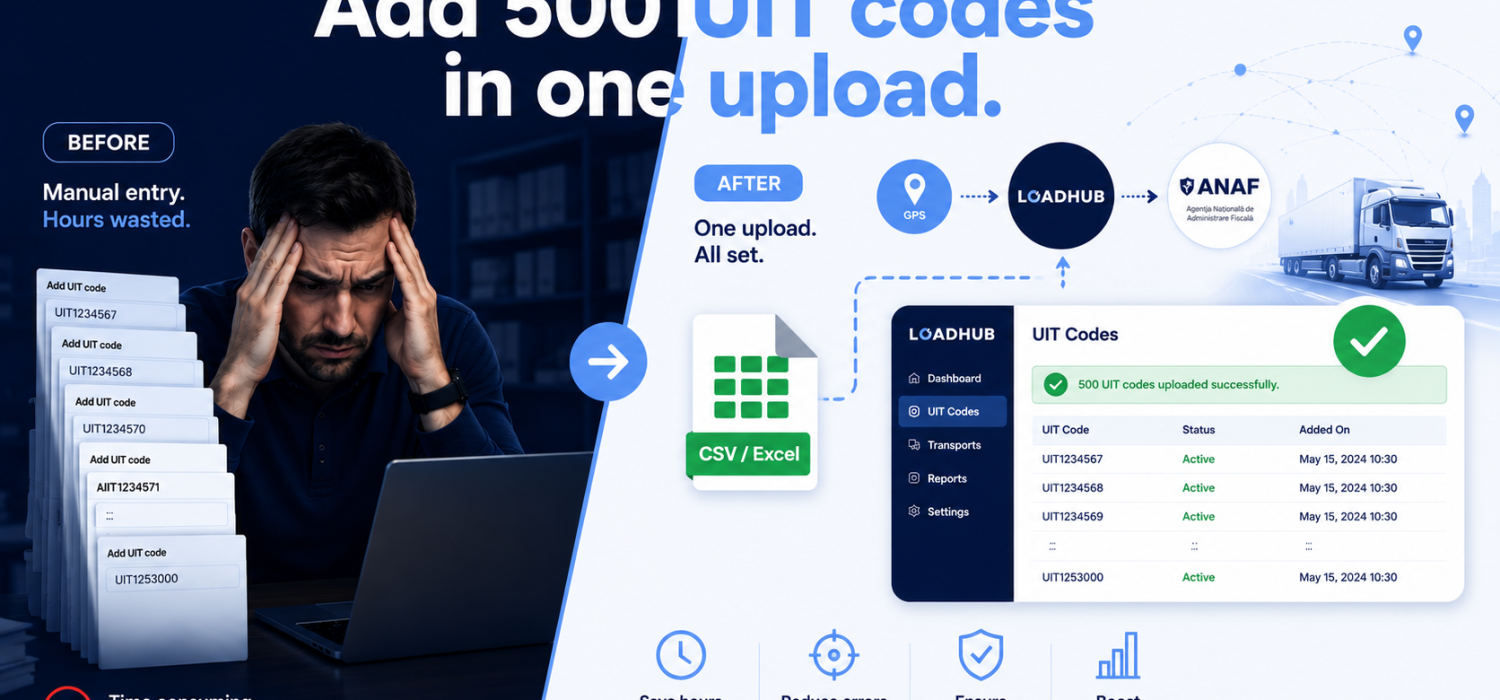


Add every UIT code in one go with LoadHub bulk UIT import
UIT codes for subcontractors
If you run transports under RO e-Transport, there’s a scenario you know well: you’re the carrier, but you’re not the party declared in the UIT code. In that case the code isn’t generated in your own flow — you receive it by email, text message or WhatsApp and have to add it manually so the transport is covered and monitored.
This isn’t an edge case. It applies to roughly 50% of transports performed by Romanian companies, and 100% of transports performed by foreign carriers. If you move goods for others, manual UIT codes are simply part of the job.
LoadHub already made adding a single manual UIT code as streamlined as possible. But “as fast as possible” still takes time — and when you have many codes for one load, those seconds add up fast. Today, we’re removing that bottleneck with a bulk import of manual UIT codes: prepare a file and add them all in one go.
A real example: a trailer transporting 8 cars, loaded in the evening
Picture loading at an automotive manufacturer in Romania. A single trailer carries 8 cars — and each car has its own UIT code.
Until now, this has been painful, especially because these loads often happen in the evening. The only practical option for the carrier was for the driver to enter at least one UIT code in the official ANAF app, which doesn’t allow multiple UIT entries at all. So the person standing at the truck, at night, was keying in codes by hand, trying not to make a mistake.
With LoadHub bulk import, that changes completely. The dispatcher only needs a tablet or a laptop and can input all the UIT codes in one go. Once added to LoadHub:
- The UIT codes are automatically allocated to the car, and
- GPS monitoring of the UIT codes runs on its own — with zero driver interaction.
The driver just drives. The dispatcher handles the codes in seconds, from anywhere.
GPS monitoring of UIT codes
With LoadHub you choose how to GPS monitor UIT codes
• automatic monitoring for all UIT codes
• schedule the start and stop time
What’s new
Until now, manually adding a UIT code in LoadHub was a straightforward process, but had to be repeated for every code. It was quick per code, but it didn’t scale when a single load brought a stack of codes with it.
With bulk import, the workflow becomes:
- Prepare your list of UIT codes in a file.
- Upload the file to LoadHub.
- LoadHub imports all code at once, assigns each to its vehicle, and automatically starts GPS monitoring (if enabled in your account).
What used to be a code-by-code grind — sometimes done by the driver in the ANAF app — now takes one upload from the dispatcher’s desk.
Why it matters for your fleet
It targets the real workload. Manual UIT codes aren’t occasional — they’re half of Romanian carriers’ transports and all of foreign carriers’ transports. Speeding this up speeds up the everyday transport tasks.
Time saved where it actually hurts. Adding one code was already optimized, but with the bulk upload of UIT codes, the time saved becomes significant. Bulk import collapses that into a single action.
The driver is out of the loop — on purpose. No more standing at the truck, entering codes in the ANAF app. The dispatcher imports everything; allocation and GPS monitoring happen automatically.
Built for cross-border operations. Foreign carriers deal with manual UIT codes on 100% of their Romanian transports. Bulk import is designed for transport companies in Romania and abroad that need to stay compliant without turning it into a second job.
Who this is for
Any LoadHub user who acts as a carrier without being the declared party in the UIT code — which is most of the market: Romanian carriers (about half their loads), foreign operators running routes through Romania (all of theirs), freight forwarders, and dispatch teams that would rather upload a file once than have a driver tap codes into the ANAF app at night.
If you already use LoadHub, the bulk import option is ready in your account. Prepare your file, upload it, and you’re done.
New to LoadHub? You can be set up and compliant in about 15 minutes — LoadHub handles UIT code management, automates GPS reporting to ANAF and integrates with Wialon and 15+ telematics providers.
Spend less time on data entry and more time moving freight. That’s the whole idea.
Other articles





Share the Post: